AI Amazon Listing Design: 7 Options Compared for Sellers Who Want Listings That Actually Convert (2026)
Not all AI listing design options work the same way. Some are tools you operate yourself. Others are agents that do the thinking for you. This comparison breaks down 7 options by what actually matters to Amazon sellers — output quality, A+ Content support, speed, and cost — with real category examples and before/after results.
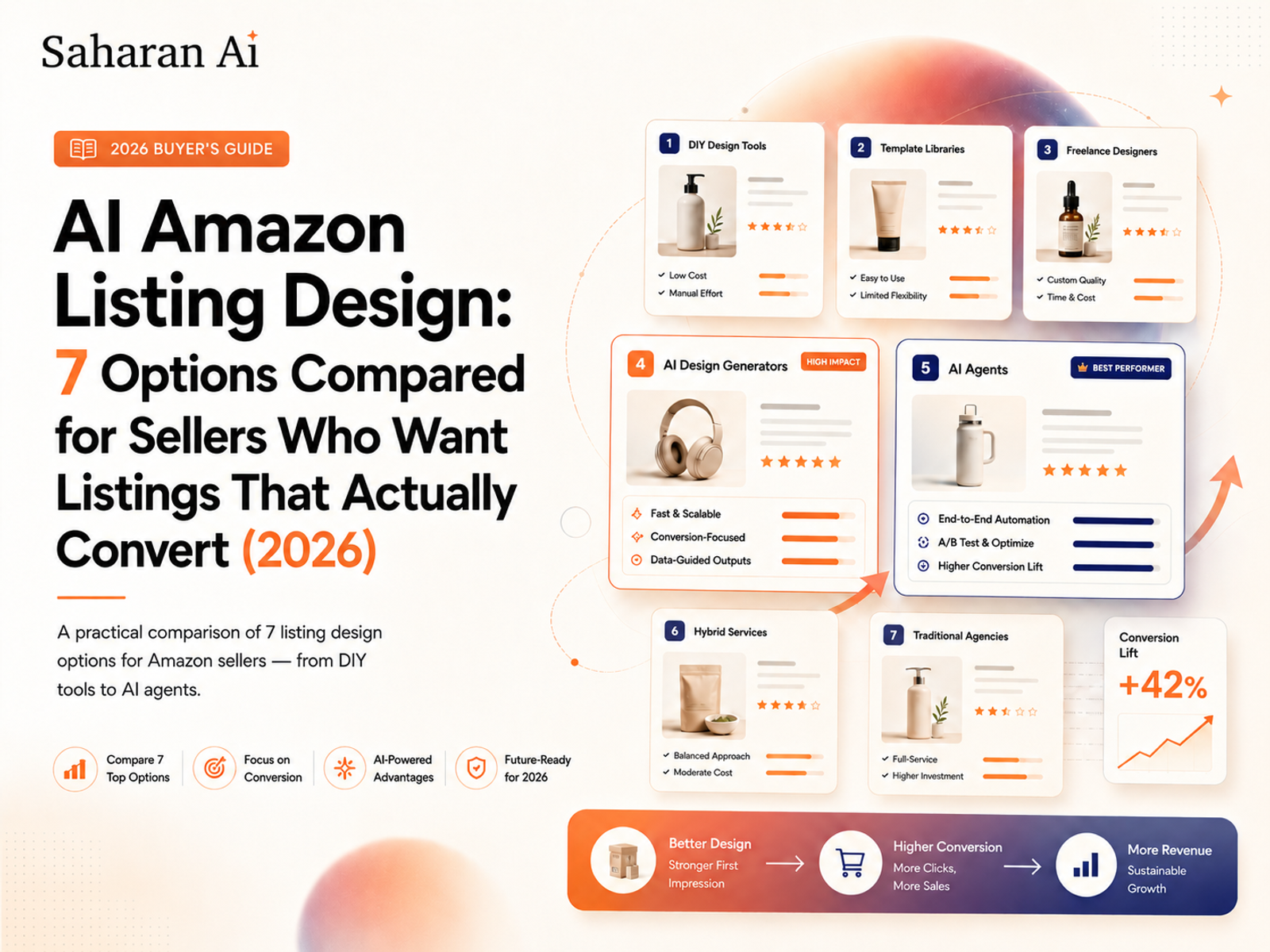
If you're spending $300 and a week of back-and-forth emails every time you need listing images for a new ASIN, you already know the traditional design pipeline doesn't scale. AI has changed the math — but not every AI option works the same way, and picking the wrong one wastes just as much time as hiring the wrong freelancer. This comparison breaks down seven realistic options for Amazon sellers in 2026, explains what each one actually does well (and where it falls short), and helps you decide based on your product category, your budget, and how much of the creative process you want to handle yourself.
No feature checklists from marketing pages. No hypothetical "AI could theoretically" filler. Just what works, what doesn't, and what's worth your money.
Why Amazon Sellers Are Moving to AI for Listing Design
The economics of listing design have been broken for years. A single hero image from a decent freelancer runs $150–$500. A full listing package — hero, six secondary images, and A+ Content modules — can hit $1,000+. Multiply that by 20 or 50 ASINs and you're looking at a line item that rivals your PPC spend, except it takes weeks instead of hours.
That's the cost problem. The expertise problem is worse.
Most freelance designers don't sell on Amazon. They don't know that a supplement listing lives or dies on dosage callouts in the secondary images, or that a kitchen gadget needs dimensional context showing it on an actual countertop at realistic scale. You end up art-directing someone who doesn't understand conversion on the platform — explaining what an A+ comparison chart should emphasize, why the infographic needs to lead with the benefit instead of the feature, why the lifestyle image can't just be a product floating in a white void.
AI has split into two camps, and most sellers haven't caught on to the difference yet. There are design tools — platforms where you drive and AI assists with specific subtasks like background removal or scene generation. And there are design agents — services where you submit a product photo and the AI makes every strategic and creative decision for you, delivering a finished listing package without manual input.
That distinction is the most important thing in this article, and it'll save you from choosing the wrong option.
Amazon itself is investing heavily in generative AI for sellers, building image generation features directly into Seller Central. That signals where the ecosystem is heading — but the built-in tools are still basic compared to what dedicated solutions offer.
Tools vs. Agents: The Distinction That Saves You Hours
Before you compare individual options, understand the two models.
Design Tools: You Operate, AI Assists
These are platforms like Canva, Photoroom, or Pebblely. You open the interface, choose a template, set your canvas to Amazon's required dimensions, select a background, arrange text overlays, position your product, and export. The AI handles specific tasks — removing backgrounds, generating scene environments, suggesting layouts — but you're the art director. Every decision flows through you.
This works well if you enjoy the creative process, have a good eye for what converts on Amazon, and don't mind spending 30–60 minutes per listing getting things right. The upside is full creative control. The downside is that your output quality depends entirely on your skill, and the time cost is real.
Design Agents: You Submit, AI Delivers
An agent works differently. You upload your product photo, and the AI — trained on e-commerce knowledge and Amazon conversion principles — acts as a listing consultant. It reads your product, your brand context, and your category, then autonomously generates brand-tailored, conversion-focused listing design. Hero images, secondary images, A+ Content modules. No templates to browse. No dimensions to set. No layout decisions to agonize over.
Saharan AI is the clearest example of this model. It's not a design canvas you operate — it's a brain-free listing consultant. You submit your product image, and it handles everything a skilled Amazon listing designer would handle, except it delivers in minutes instead of days.
Why This Matters for Your Workflow
With a tool, your results get better as your design skills improve. With an agent, your results depend on the agent's training — which means consistent quality across your entire catalog, whether you're listing your first product or your fiftieth.
For most sellers running a real business — not a single-ASIN side project — the bottleneck isn't creative control. It's time and expertise. If you're launching five new products this quarter and managing existing listings across three categories, spending an hour per listing in a design tool isn't a feature. It's a problem.
7 AI Amazon Listing Design Options Compared (2026)
1. Saharan AI
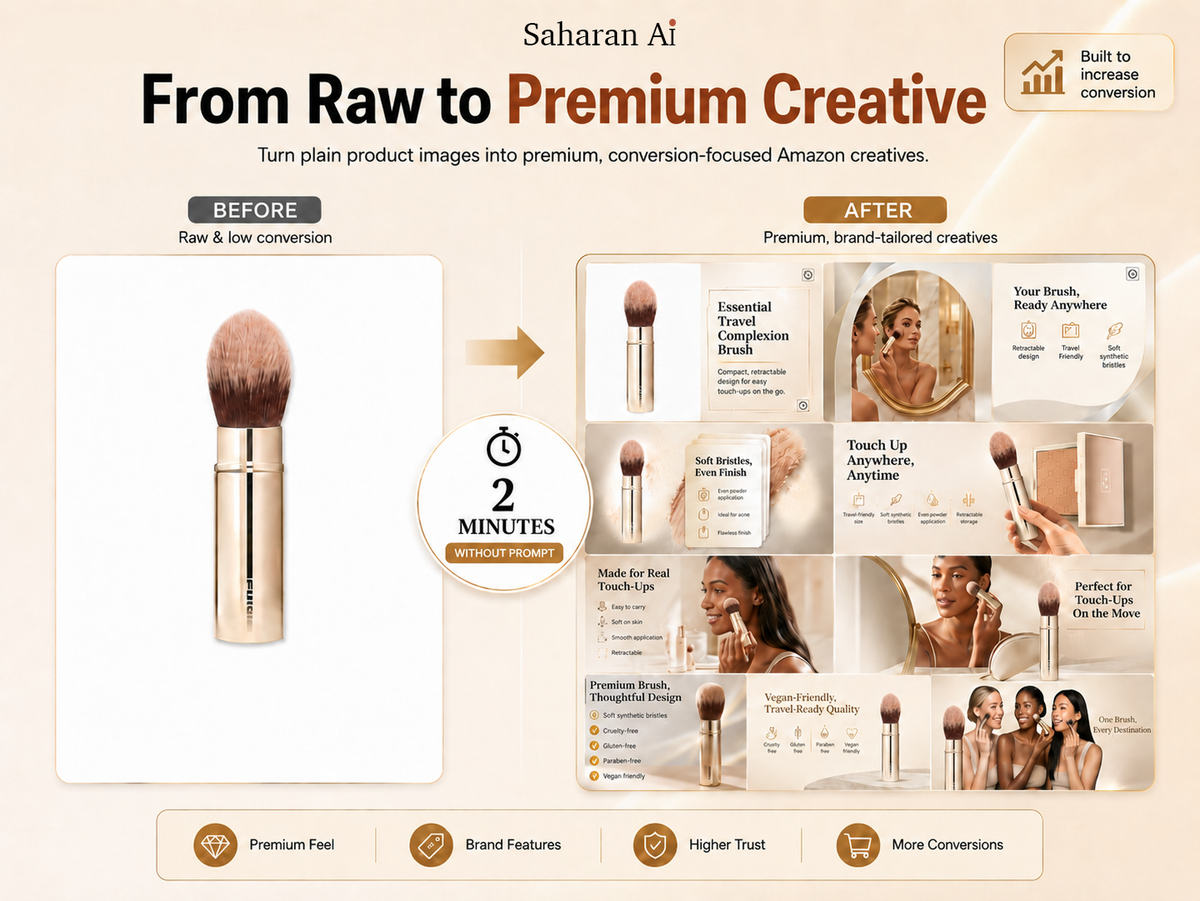
Saharan AI is an AI agent trained specifically on e-commerce and Amazon conversion principles. You submit your product image, and it automatically generates a complete listing design — hero image, secondary images, and A+ Content modules — tailored to your brand and optimized for your product category.
There's no design interface to learn because there's no design interface. You don't pick templates, set dimensions, or arrange elements. The agent makes the layout, typography, color, and content-hierarchy decisions that a freelance Amazon designer would make — the kind of decisions that require category expertise and conversion knowledge — except it does it in minutes, not days.
Best for sellers who want done-for-you output without art-directing anything. Particularly strong for sellers managing multiple ASINs across categories like supplements, home and kitchen, or pet supplies, where you can't afford to spend 45 minutes per listing in a design tool.
2. Canva
Canva's Magic Studio features are genuinely powerful for general design. Background removal, AI scene generation, text-to-image, and Magic Resize all work well. But you're building Amazon listings from general-purpose templates, which means you'll set your own dimensions (2000×2000 px minimum for Amazon), choose your own layouts, and manually ensure every image meets Seller Central's requirements.
Canva doesn't know what an A+ Content comparison chart is supposed to look like for your category. It doesn't know that your supplement bottle needs dosage callouts or that your kitchen tool needs a dimensional reference. You bring that knowledge; Canva provides the canvas.
Best for sellers who already use Canva for other brand assets and want everything in one ecosystem — and who don't mind the learning curve of adapting generic templates to Amazon-specific needs.
3. Photoroom
Photoroom does two things extremely well: background removal and AI-generated scene placement. If you need a clean white-background hero image or a lifestyle shot of your product on a marble countertop or in a sunlit kitchen, Photoroom produces solid results quickly and affordably.
But it stops at individual images. There's no A+ Content workflow, no multi-image listing package, and no category-specific optimization logic. You generate one image at a time and handle everything else — secondary image strategy, infographic overlays, text callouts, A+ modules — separately.
Best for sellers who primarily need clean hero images and lifestyle backgrounds on a tight budget and are comfortable assembling the rest of their listing assets with other tools.
4. Blend
Blend focuses on AI-generated lifestyle photography for products. It's good at placing your product into realistic environmental scenes — a diffuser on a bedside table, a water bottle on a gym bench, a candle in a living room setting. The environments look natural, not composited.
The limitation is scope. Blend handles lifestyle backgrounds, not complete listings. No infographic overlays, no text-on-image callouts, no A+ Content module generation.
Best for home décor, fashion accessories, and other categories where lifestyle context and environmental storytelling drive the purchase decision more than feature callouts.
5. Pebblely
Pebblely targets small physical products — cosmetics, food items, jewelry, accessories. You upload your product photo, select or describe a scene, and it generates lifestyle-context images quickly. The interface is intuitive and the output is consistent for its target use case.
Like Photoroom and Blend, though, Pebblely covers a single slice of listing design. It's a single-image tool, not a listing solution.
Best for small-product sellers who need quick lifestyle-context images for both Amazon listings and social media content, and who handle listing strategy and A+ Content separately.
6. Amazon's Built-In AI Image Generator
Free for Brand Registered sellers, available directly inside Seller Central. You don't need to sign up for anything or learn a new platform. You upload a product image, describe the scene you want, and Amazon generates options.
The price is right — it's free — but the output is inconsistent. Customization options are limited, the results often need manual evaluation and regeneration, and the tool only covers individual images. No A+ Content design, no multi-image listing packages, no strategic decision-making about how your listing should work as a whole. Think of it as a free starting point, not a solution.
Best for sellers who want to experiment with AI-generated imagery at zero cost and are willing to iterate manually until they get something usable.
7. Freelancer + AI Hybrid (Fiverr / Upwork)
Most listing designers on Fiverr and Upwork now use AI tools behind the scenes, which has driven prices down and turnaround times faster. A full listing package that used to cost $500 might now run $80–$250 from a mid-tier freelancer who's using Photoshop plus AI generation for backgrounds and scenes.
The upside: a human eye on the final output. The downside: you're still paying per listing, waiting 3–5 days for delivery, dealing with revision cycles, and quality varies wildly between sellers. You're also dependent on one person's availability and taste.
Best for sellers who value human judgment on the final result, have the budget for per-listing costs, and can tolerate the turnaround time.
Which Option Wins by Product Category
The comparison table tells you features. This section tells you what actually works when you're selling in a specific category.
Supplements & Health Products
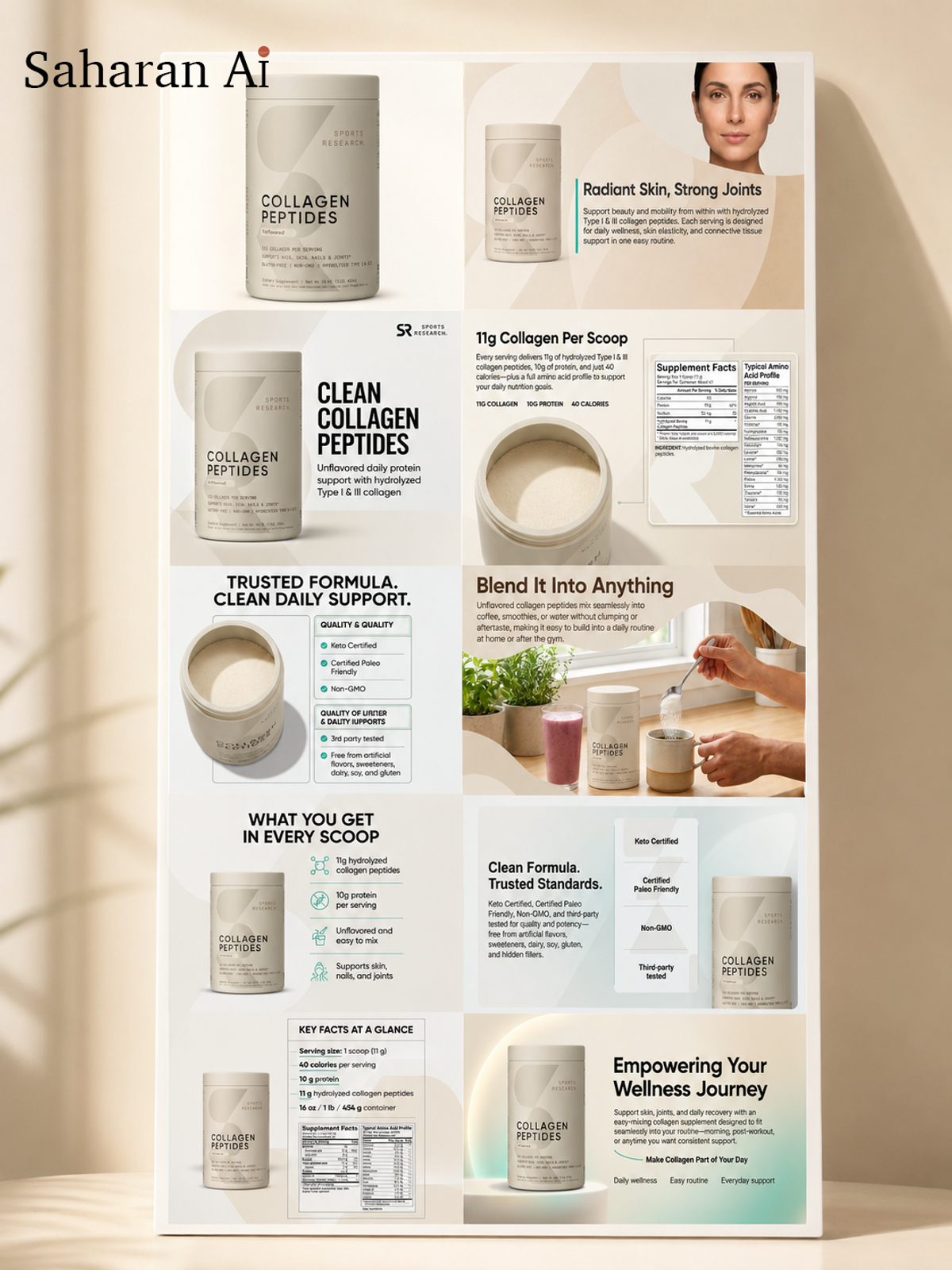
Supplement listings live or die on trust signals. Shoppers want to see certifications, dosage per serving, key ingredient callouts, "free from" claims, and clinical-study references — all within the secondary images and A+ Content, not buried in bullet points most people skim past.
The test is simple: upload a supplement bottle to each option you're considering. Does the output include conversion-relevant callouts — serving size, top ingredients, certification badges — without you manually specifying them? If you had to tell the tool what to include and where to place it, it's a tool. If it figured that out on its own, it's an agent.
Saharan AI handles this particularly well because its e-commerce training includes category-specific conversion patterns. It knows that a collagen supplement listing needs different emphasis than a pre-workout listing, and it adjusts the information hierarchy accordingly.
Home & Kitchen
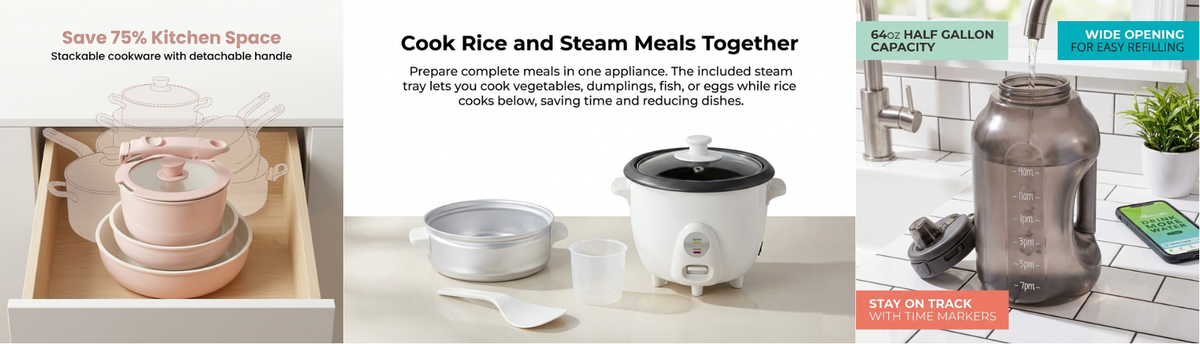
Buyers in this category need dimensional context. They want to see that cutting board on an actual countertop, that storage container inside a real pantry, that kitchen scale next to recognizable objects for size reference. They also expect robust A+ Content — comparison charts showing your product against alternatives, multi-angle lifestyle grids, and feature-benefit breakdowns.
The volume of assets needed per listing in home and kitchen is higher than most categories: hero image, 5–6 secondary images with different angles and use cases, plus 3–4 A+ Content modules. Any option that requires significant manual effort per image becomes a serious time sink. This is where the agent model compounds its advantage — generating a complete listing package in one pass saves hours compared to building each asset individually in a design tool.
Electronics & Accessories
Clean, minimal hero images with precise feature callouts. That's the formula for electronics. Infographic-style secondary images are standard — shoppers expect to see specs, compatibility details, and key features overlaid on the product image in a clean, readable layout.
The challenge most AI options struggle with: rendering text overlays cleanly on dark, reflective, or very small product surfaces. A pair of wireless earbuds or a matte-black phone case will trip up tools that handle text placement as an afterthought.
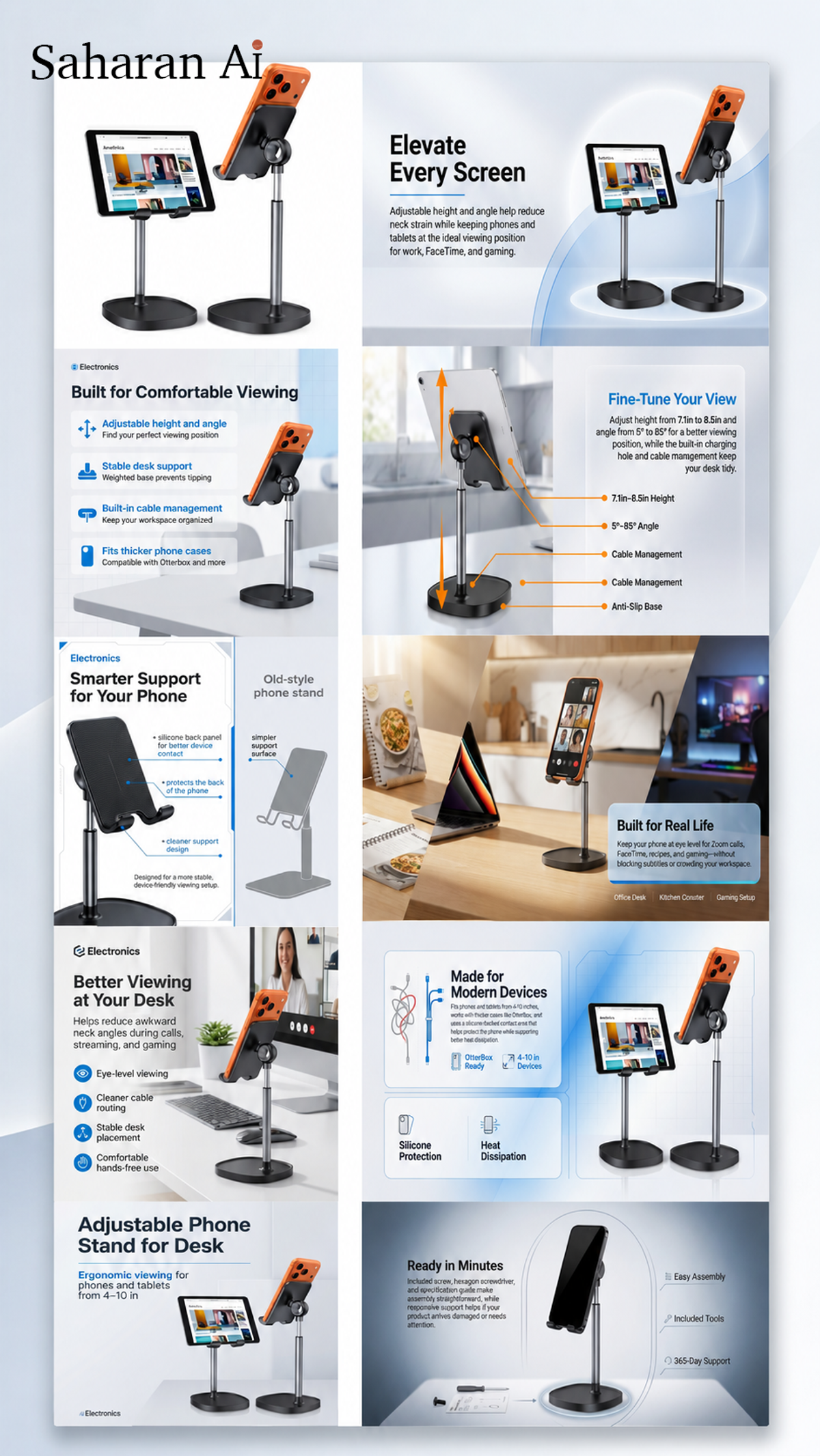
Create your first 2 design free . Upload a product photo at saharan.ai and see what the agent builds for your listing. If the before/after doesn't speak for itself, nothing in this article will convince you.
How to Transition to AI Listing Design Without Killing Your Conversion Rate
Switching your listing images isn't like flipping a light switch. Do it wrong and you can tank a well-performing listing. Here's how to make the transition without risking your revenue.
Start with your underperformers, not your best sellers. Pick 3–5 ASINs with the lowest conversion rates in your catalog. These are your test subjects — if the new images improve things, great. If they don't, you haven't risked your cash cows. Submit the product photos, generate new assets, and swap the secondary images first (slots 2–4). Leave your hero image alone for now.
Monitor for two weeks before touching the hero image. Check your session-to-conversion percentage in Business Reports. If it holds steady or improves, you have a green light to test the hero image. If it drops, you can revert without having changed your most visible asset.
Use Manage Your Experiments if you're Brand Registered. This is Amazon's built-in A/B testing tool, and it eliminates guesswork entirely. Generate two or three hero image variants, let Amazon split the traffic, and let the data pick the winner. With Saharan AI, generating those variants takes minutes — which means you can actually run the experiments instead of just adding "A/B test hero images" to a to-do list that never gets done.
Back up everything first. Screenshot your current detail page and A+ Content before making any changes. You'll want the comparison data, and you may want to revert individual elements if something underperforms.
People Also Ask
Is AI-generated listing imagery allowed on Amazon?
Yes. Amazon permits AI-generated and AI-enhanced images as long as they meet standard requirements — accurate product representation, pure white background for main images, no misleading composites. Amazon itself now offers generative AI image tools inside Seller Central for Brand Registered sellers, so the platform is actively encouraging the practice.
What's the difference between an AI listing design tool and an AI listing design agent?
A tool gives you AI-powered features — background removal, scene generation, templates — that you operate yourself. An agent like Saharan AI works autonomously: you submit a product photo and it makes the design, layout, and conversion-optimization decisions for you, delivering a complete listing package without manual input. The core difference is who does the thinking.
How much does AI Amazon listing design cost compared to hiring a freelancer?
AI tools and agents range from free to around $100/month for high-volume use. Freelance listing designers charge $150–$500+ per listing. For sellers managing 10+ ASINs, AI options typically pay for themselves within the first month. (See this detailed cost breakdown.)
Can AI create Amazon A+ Content, not just main listing images?
Most AI tools only generate individual product images. Saharan AI is one of the few options that generates full A+ Content modules — comparison charts, lifestyle grids, brand story banners — as part of its autonomous output. Always verify whether A+ support is included before committing to any solution.
Which product categories benefit most from AI listing design?
Categories with standardized product shapes and heavy infographic needs see the biggest gains: supplements, home and kitchen, electronics accessories, beauty and personal care, and pet supplies. Categories that rely on model photography (apparel, shoes) or extremely detailed technical imagery (automotive parts) still benefit but may need manual refinement for certain assets.
The Bottom Line
There's no single "best" option here — there's the right option for how you work and what you sell. If you want full creative control and enjoy the design process, Canva gives you the most flexibility. If you only need 1 or 2 clean product images fast, Photoroom and Pebblely deliver. If you want to test the waters at zero cost, Amazon's built-in tool is there.
But if you're managing a real catalog — 10, 20, 50+ ASINs across multiple categories — and you need complete listing packages without spending your evenings learning design software, the agent model is worth trying. Submit one product photo to Saharan AI, compare the output to what's currently live on your listing, and let the before/after make the case.
The smartest move isn't choosing an option right now. It's testing one with your worst-performing ASIN this week and looking at the data two weeks later. That's how sellers make decisions — with numbers, not opinions.